App Store Connect, as a native Mac app.

Design and localize screenshots, edit metadata in every language, push builds through TestFlight and submit for review. One window, no browser tabs.

Soonon the Mac App Store

Free to download. Pro is optional. Your key never leaves your Keychain.

Slipway’s apps list showing apps from several teams with their App Store status

A release, in the order you do it.

Screenshots, metadata, TestFlight, submit. Each step is a tab, and the whole thing is one window.

1Screenshots

Design once. Ship every size and language.

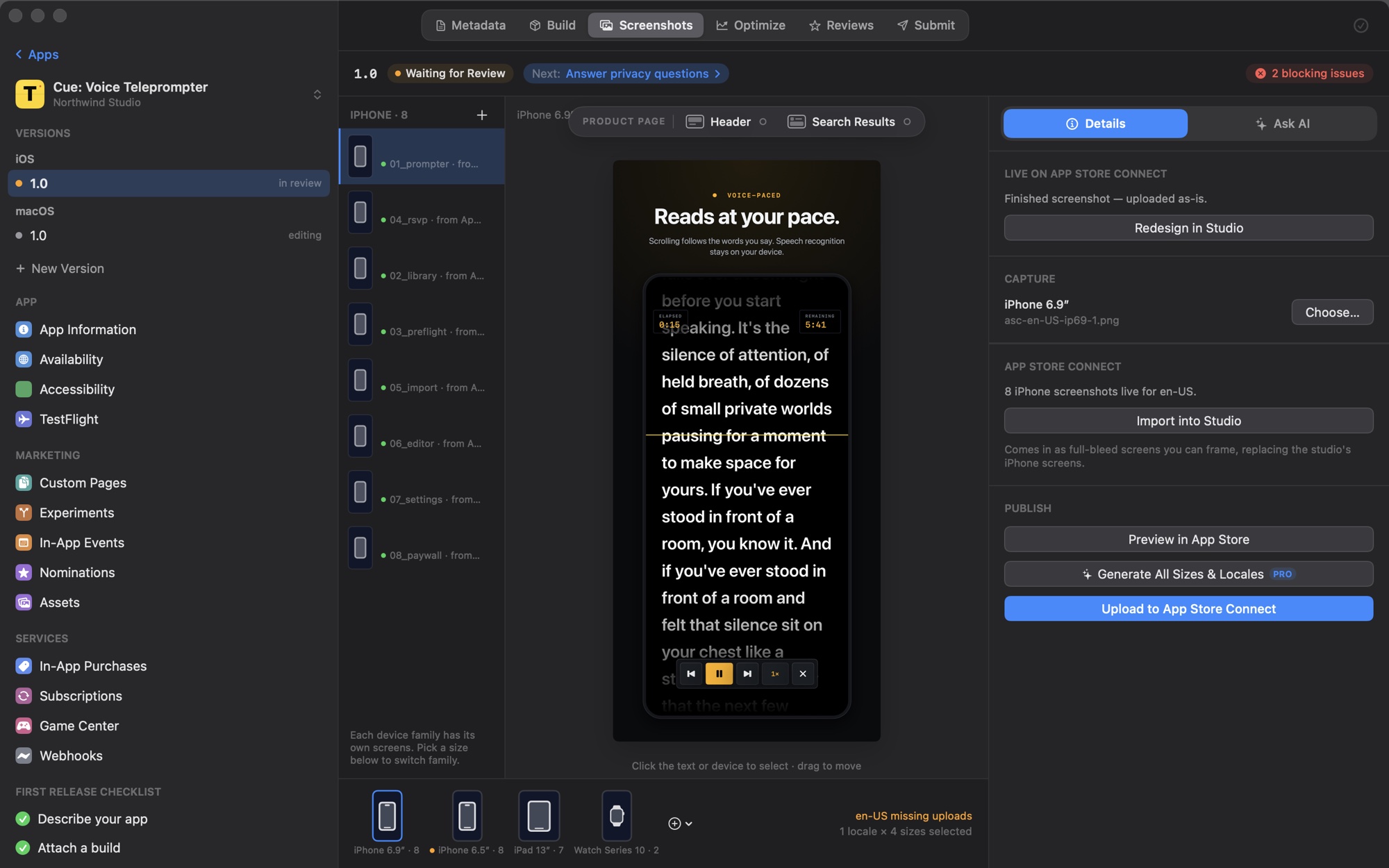
Drop in simulator captures, pick a layout and a device frame, write the caption for each locale. Slipway renders an exact App Store PNG for every device and uploads the set.

  • Nine layouts
  • iPhone to Vision Pro
  • Exact-size PNGs
Slipway screenshot studio with framed iPhone screenshots and the layout inspector

2Metadata and localization

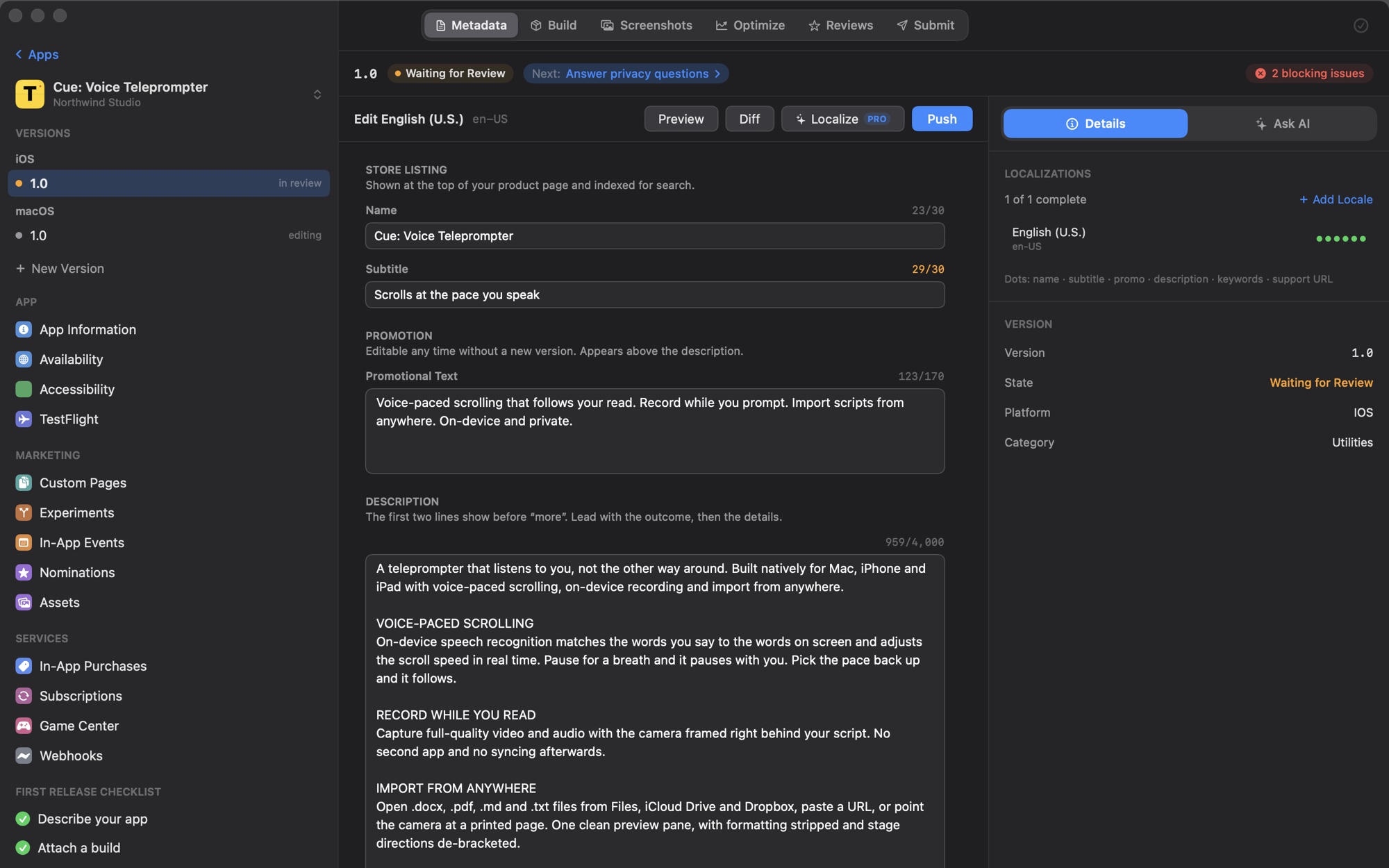
Every locale, checked against what’s live.

Name, subtitle, keywords, description and What’s New for every language you ship, with character limits flagged before Apple sees them and a diff against the live listing.

  • Diff per locale
  • Limits flagged early
  • Localize All with Pro
Metadata editor showing localized fields and a diff against the live version

3TestFlight

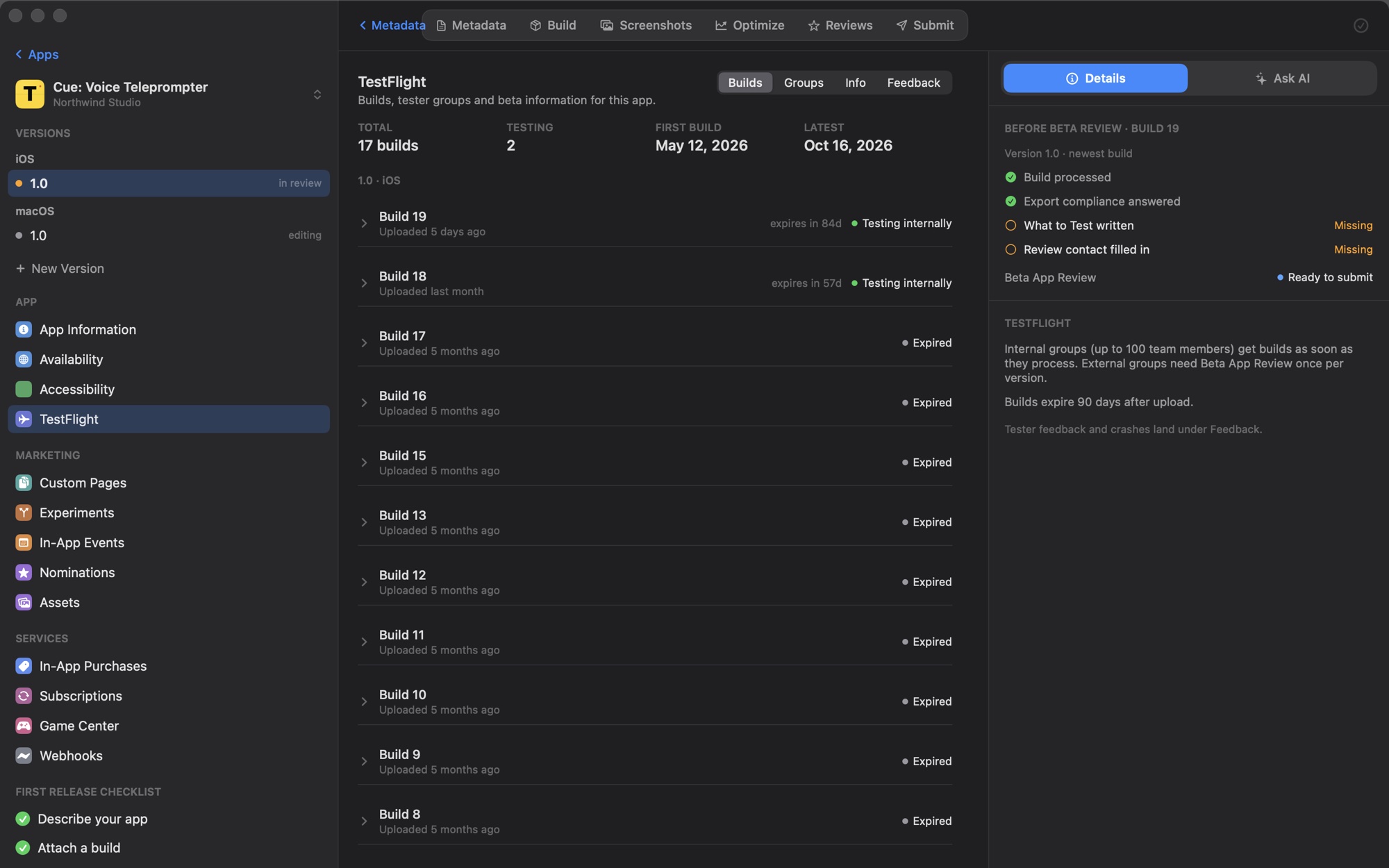
Builds to testers without the tab maze.

See each build’s state and expiry, hand it to a group, write What to Test and read tester feedback, all on one page.

  • Internal and external groups
  • What to Test per build
  • Tester feedback
TestFlight builds list with beta groups and What to Test notes

4Submit

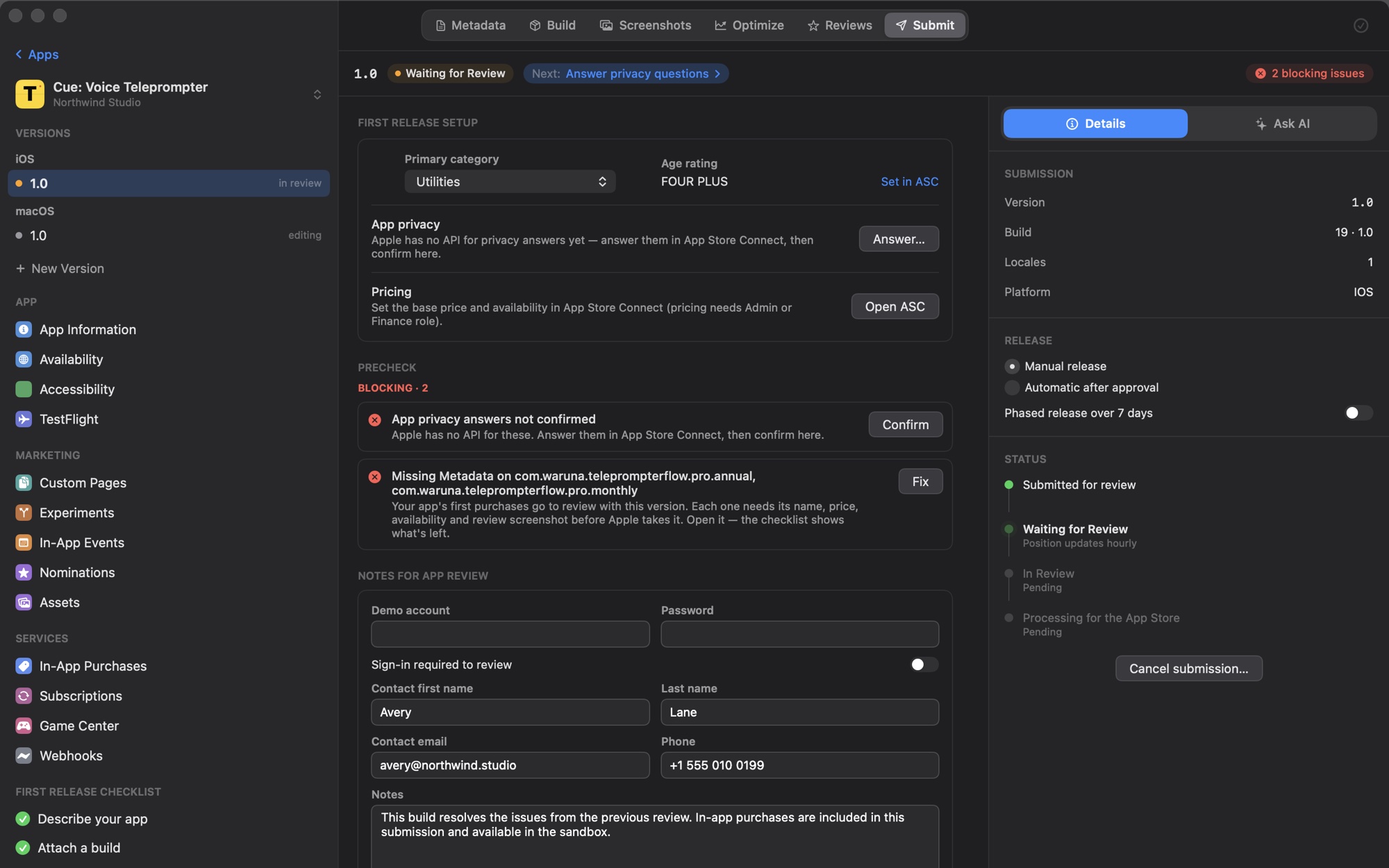
Catch the rejection before App Review does.

Precheck sorts problems into blockers and warnings. Attach the build, write notes for the reviewer, choose how the release goes out and submit from the same window.

  • Blockers and warnings
  • Phased release
  • One confirmed click
Submit tab with the precheck list, release options and the submit button

5After launch

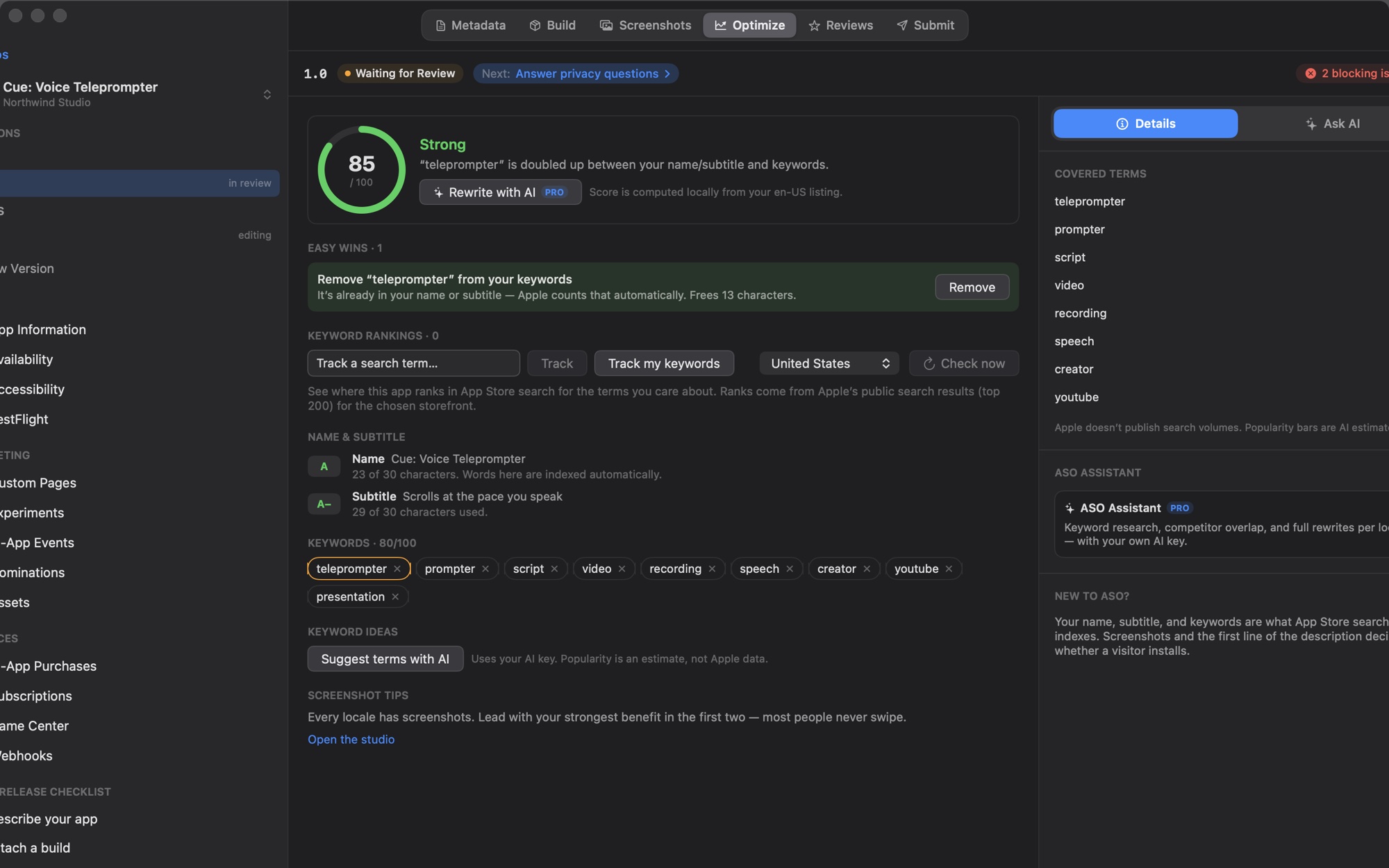
Then make the listing better.

An ASO score computed on your Mac, keyword ideas from your own AI key, a store preview, and review replies drafted where you read them.

  • Local ASO score
  • Keyword ideas
  • Reply to reviews
Optimize tab with the ASO score, keyword suggestions and a store preview
Pro

Tell it what to do.

“Localize the What’s New into every language, attach build 42 and submit as a phased release.”

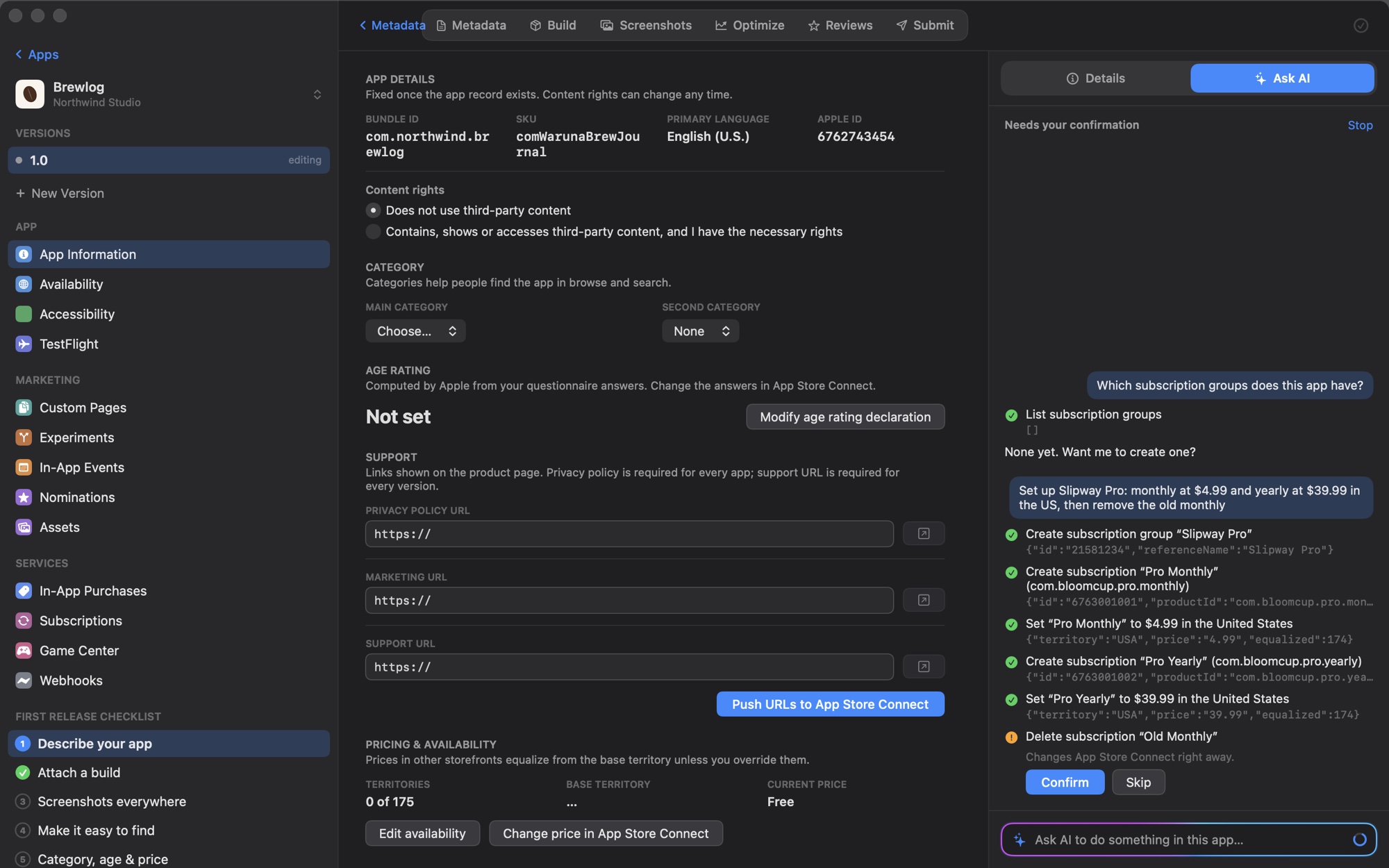
Ask AI carries out instructions in App Store Connect with your own key. Reads and edits run right away. Anything you can’t undo asks first.

Ask AI pane in Slipway listing the steps it took for an instruction, with Confirm and Skip buttons

The rest of App Store Connect, a click away.

The pages you’d otherwise open the website for are a tab or a sidebar item in Slipway.

In-App Purchases

Create, price, add the review screenshot and submit, without leaving the app.

Pro Monthly$4.99Pro LifetimeNon-Consumable$74.99Ready to Submitpro.lifetime

Subscriptions

Groups, tiers, intro offers and offer codes.

Slipway Pro2 levels1Monthly$4.992Yearly$24.99Intro offer: 7 days free

Reviews

Reply in place. AI drafts the first version with your key.

mara_k · 2dFinally, sane releasesDraft replySend

In-App Events

Timed events for your product page and search.

Live EventSpring Launch WeekApr 7–14View

Custom Product Pages

Variants for ads, socials and campaigns.

CampaignSummerDefaultProduct PageAdsSearch

Experiments

Product page tests with up to three treatments, results in the same view.

Icon test· runningDay 9Treatment A52%Treatment B48%

Availability and pricing

Pick from 175 territories and set the base price; Apple fills in the rest.

175 territories$4.99 base price

Every team, one list

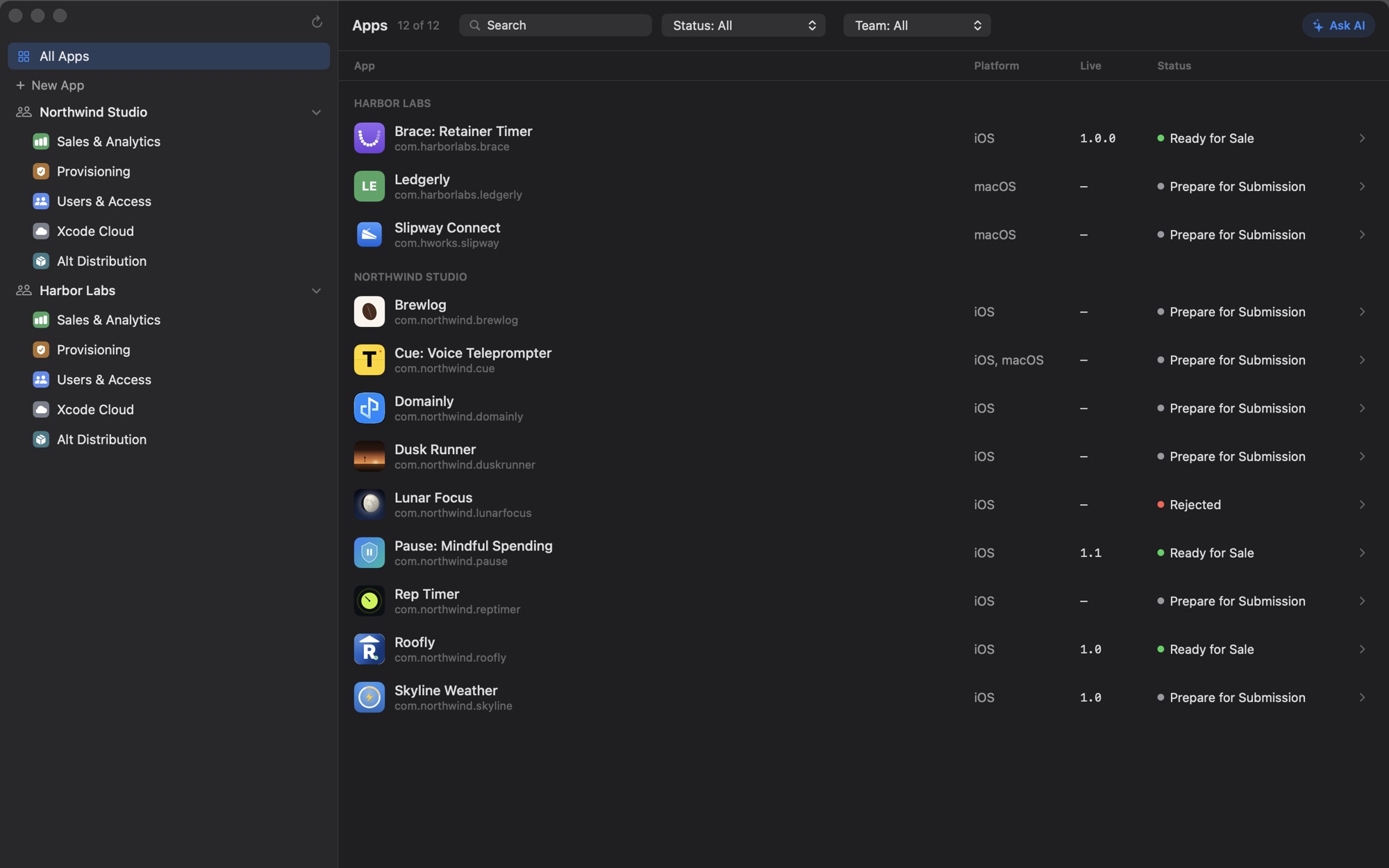
All your accounts in one apps list, with a filter.

Team: AllNorthwind StudioBraceLedgerlyTallyHarbor LabsTidepoolMooringBeaconBraceVersion 1.2

Menu bar

Release state changes and low ratings as notifications.

FinderFileEditViewTue 9:41Slipway2 appsBrace1.2Ready for SaleLedgerly2.0In Review

Between your Mac and Apple. That’s it.

  • No server, no account

    Slipway is an app, not a service. Nothing to sign up for, no analytics. Every request goes from your Mac to Apple.

  • Your key stays in your Keychain

    The App Store Connect key you create lives in the macOS Keychain and never leaves this Mac. Revoke it any time.

  • Only Apple’s official API

    No scraping, no browser automation, no Apple ID password. The same App Store Connect API Apple documents.

  • Bring your own AI

    Anthropic, OpenAI, Gemini, Grok, Ollama or any compatible endpoint. Requests go straight to the provider with your key.

Free to ship. Pro to go global.

Everything that talks to App Store Connect is free. Pro adds bulk localization, AI generation and Ask AI.

Monthly

$5 /month

Cancel anytime

Yearly

$25 /year

Save 58%

FeatureFreePro
Unlimited apps and teams
Metadata, builds, TestFlight, reviews and submission
Screenshot studio
Screenshot uploadOne localeEvery locale
AI review replies, insights and keyword ideas
Localize All: metadata into every locale in one click—
Rewrite with AI and screenshot sets from a brief—
Ask AI: carry out instructions in App Store Connect—

Questions

Is it safe to use with my developer account?

Yes. Slipway only uses Apple’s official App Store Connect API, with a key you create and can revoke at any time. There’s no scraping, no browser automation and no Apple ID password. Actions that can’t be undone, like releasing a version or expiring a build, ask you to confirm first.

Where does my data go?

From your Mac to Apple, and nowhere else. There’s no Slipway server, no account and no telemetry. Your API key lives in the macOS Keychain. If you turn on AI features, listing text goes directly to the provider you picked, using your own key.

Which API key role do I need?

A Team Key with the App Manager role, created under Users and Access, Integrations in App Store Connect. That covers metadata, screenshots, builds, TestFlight and submission. Team pages such as Users and Access, sales reports and pricing need a key with a broader role, such as Admin.

Which macOS versions are supported?

macOS 15 Sequoia and later, on Apple silicon and Intel Macs.

Which AI models can I use?

Any model your provider offers. Slipway fetches the model list from Anthropic, OpenAI, Google Gemini, xAI Grok, Ollama or any OpenAI-compatible endpoint, and you choose. With Ollama the AI features run on your Mac and work offline. AI is optional; nothing in the release flow needs it.

How is it different from Helm?

Helm is a mature App Store Connect client with an iPhone app and a command-line tool, and it’s worth a look. Slipway is built around the screenshot pipeline: design once, caption per locale, render every device size and upload the whole set, with metadata localization next to it. It runs only on your Mac, with no account and no server, and its AI features work with whichever provider and key you already have.

When can I get it?

Slipway is coming to the Mac App Store. It is free to download; Pro is an optional in-app purchase.
Ship your next update from Slipway.

Coming to the Mac App Store. Free to download, with Pro as an optional in-app purchase.

Soonon the Mac App Store

No account to create. Your key stays in your Keychain.